I’ve been working on a new project called Super Melee, a browser-based version of the classic space combat experience inspired by Star Control II / The Ur-Quan Masters. You can check it out at super-melee.com.
The project started with a simple idea: what if I could make it easy to jump into a fast multiplayer space battle with friends without asking anyone to download a game, install dependencies, create an account, or troubleshoot their setup?
I wanted something where you could open a web page and start playing.
Why I built it
I’ve always loved games that are easy to understand, quick to start, and fun to replay. The original Star Control II melee mode has that quality: pick a ship, fight, learn the matchup, try again.
But even when a classic game is available, getting friends into it can still be a little clunky. Someone has to download the game. Someone has to figure out controls. Someone has to set up networking. By the time everyone is ready, the energy can fade.
So I wanted to explore what it would look like to rebuild that kind of experience as a modern web app:
- No download
- No install
- No login required to start
- Playable immediately in the browser
- Built with modern TypeScript and React
- Online multiplayer support
- A quick way to fight an AI opponent right away
That became the foundation for Super Melee.
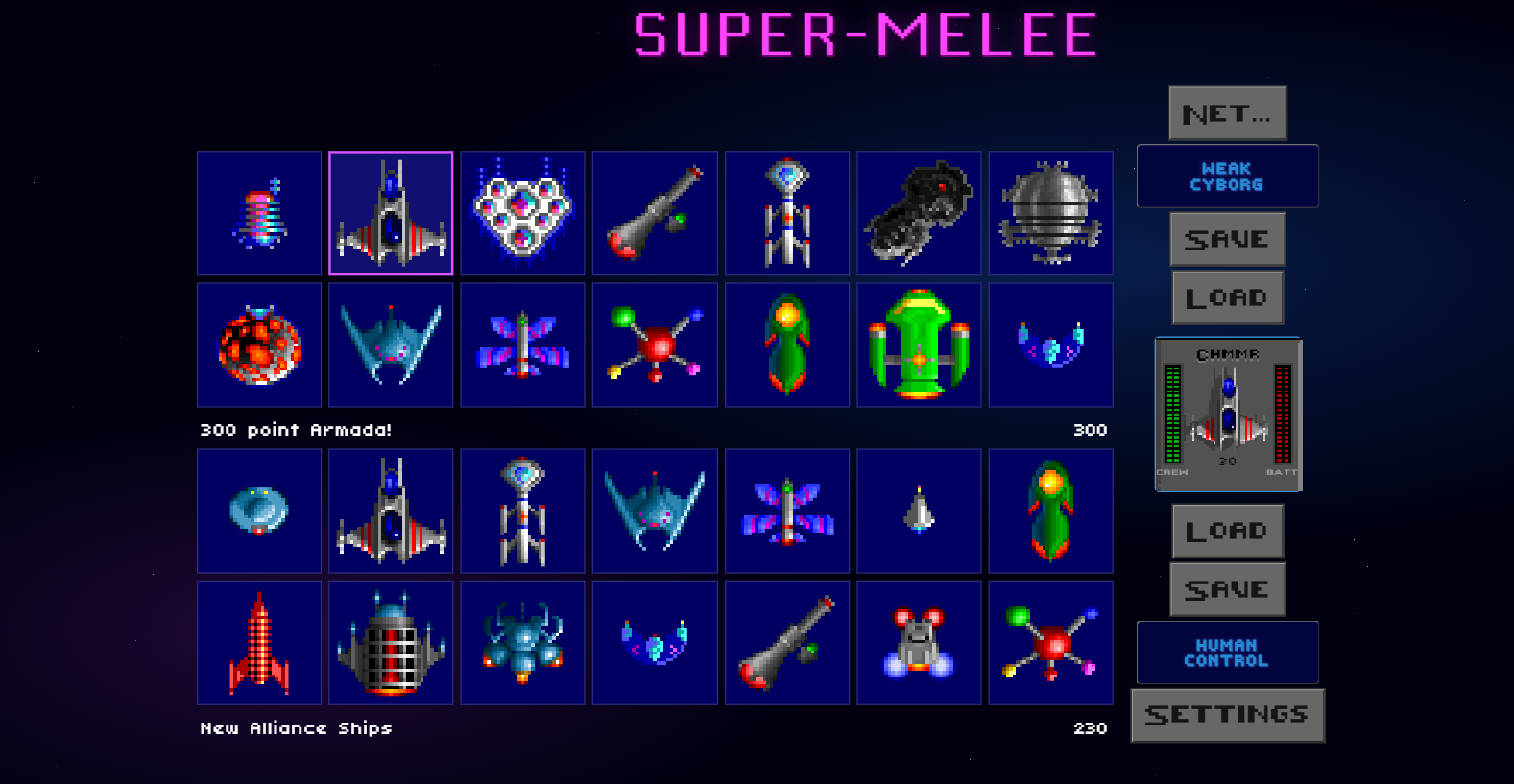
Using the original source as a guide
One of the most interesting parts of the project was using the Ur-Quan Masters source code as a reference point.
Rather than trying to recreate the game purely from memory, I pointed AI coding agents at the original code and asked them to help me understand how the old systems worked. From there, I used the agents to help translate those ideas into a modern web implementation.
The goal was not to copy and paste old code into a browser. The goal was to understand the mechanics, behavior, and structure well enough to rebuild the experience using the tools I use today.
That meant rethinking the implementation in terms of:
- TypeScript
- React
- Browser rendering
- Modern state management
- Input handling
- Game loops
- Networking
- Multiplayer synchronization
- Fast, frictionless onboarding
In a lot of ways, the original source code acted like a map. The AI tools helped me read the map faster, but I still had to decide where the modern version should go.
Practicing with Codex and Claude Code
A big motivation for this project was practice.
I’ve been using AI tools like Codex and Claude Code, and I wanted a project that would push me beyond simple prompts and toy examples. A game is a great stress test for AI-assisted development because it touches so many different areas at once.
There is gameplay logic. There is rendering. There is UI. There are controls. There is networking. There are debugging problems that are hard to describe clearly unless you understand what is happening. There are moments where the code “works” but the game does not feel right.
That made Super Melee a really useful learning project.
The AI tools helped me move faster, but they did not remove the need to understand the system. In fact, the project made it very clear that AI coding tools work best when I can give them strong direction.
The better I understood the original code, the game mechanics, and the architecture I wanted, the better the tools performed.
What AI helped with
The agents were especially useful for tasks like:
- Exploring unfamiliar source code
- Explaining legacy game logic
- Translating concepts into TypeScript
- Generating first drafts of components and systems
- Refactoring code into cleaner shapes
- Debugging specific issues
- Creating implementation plans
- Comparing possible approaches
- Filling in boilerplate so I could focus on design decisions
That last point is important. The value was not just “write this code for me.” The value was having a tireless collaborator that could help me stay in motion.
Sometimes I would ask for a plan. Sometimes I would ask for a focused implementation. Sometimes I would paste in a bug and ask it to reason through what could be going wrong. Sometimes I would ask it to explain the old code before touching the new code.
The workflow felt less like outsourcing and more like pair programming with an assistant that could rapidly explore options.
What AI did not solve automatically
Even with powerful tools, the hard parts were still hard.
A game has to feel good. It is not enough for a ship to technically move. It has to accelerate, turn, fire, collide, and respond in a way that feels believable and fun.
Networking also adds complexity quickly. It is one thing to make a local prototype. It is another thing to support online play where two people can connect and have a shared experience that feels responsive.
AI can help write code, but it cannot magically know what “feels right” unless I can describe the problem clearly, test the result, and steer the next iteration.
That has been one of the biggest lessons from this project: AI tools are strongest when paired with taste, context, and judgment.
Making it easy to play
One of my favorite parts of the current version is how quickly someone can get started.
When you load the site, you can jump into a game against the AI right away. You do not need to create an account. You do not need to install anything. You do not need to convince a friend to go through setup before seeing whether the game is fun.
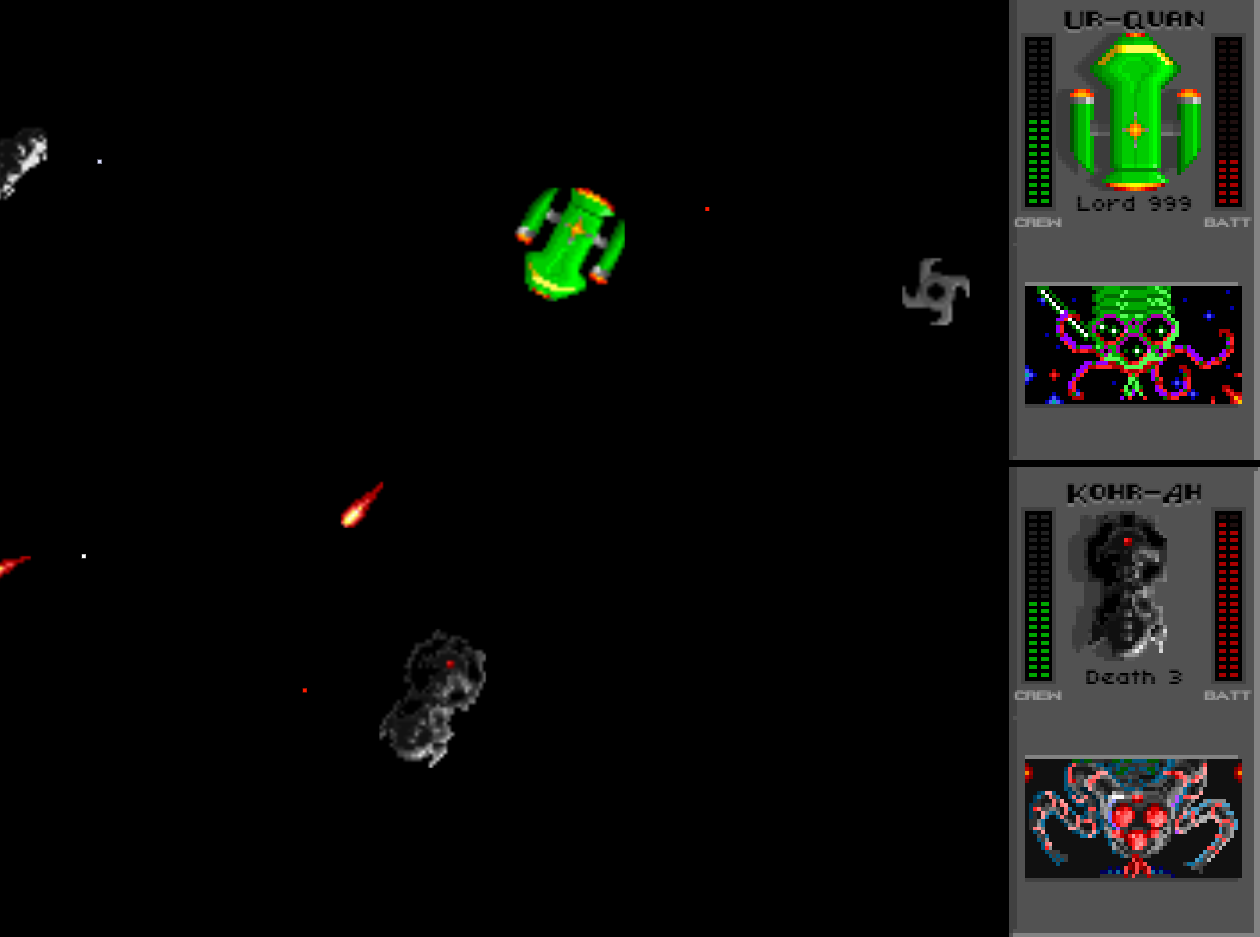
That matters because friction kills casual multiplayer.
The dream is simple: send a link to a friend, they open it, and you are playing.
That is the kind of experience the web is great at, and it is the reason I wanted to build this as a browser game in the first place.
What I learned
This project has taught me a lot about both game development and AI-assisted development.
On the technical side, I got deeper practice with TypeScript, React, real-time interactions, browser-based gameplay, and multiplayer architecture.
On the AI side, I learned how important it is to break work into clear chunks. Broad prompts can be useful for brainstorming, but the best results usually came from giving the tools a specific role and a specific target:
- “Explain how this original system works.”
- “Port this behavior into a TypeScript-friendly structure.”
- “Help me debug why this state changes twice.”
- “Suggest a cleaner architecture for this module.”
- “Compare these two approaches before we implement anything.”
The tools became much more effective when I treated prompting as part of the engineering process, not a magic shortcut around it.
Why this project matters to me
Super Melee is fun because it is a game, but it is also meaningful to me because it represents a new way of building.
AI coding tools have changed the shape of side projects. Ideas that used to feel too large to start can now become approachable. Not easy, exactly - but approachable.
You still need curiosity. You still need persistence. You still need to test, revise, debug, and make decisions. But the distance between “I wonder if I could build that” and “I have a working version online” feels shorter than it used to.
That is exciting.
Super Melee has been a way for me to explore that feeling in a real project, with real complexity, and with something I can actually share with friends.
Try it out
You can play the current version at super-melee.com.
It is still evolving, but the core idea is already there: open the site, jump into a match, and start playing.
For me, this project has been part game, part experiment, and part training ground for modern AI-assisted software development. And honestly, that combination has made it one of the most fun side projects I’ve worked on in a while.